Check-off
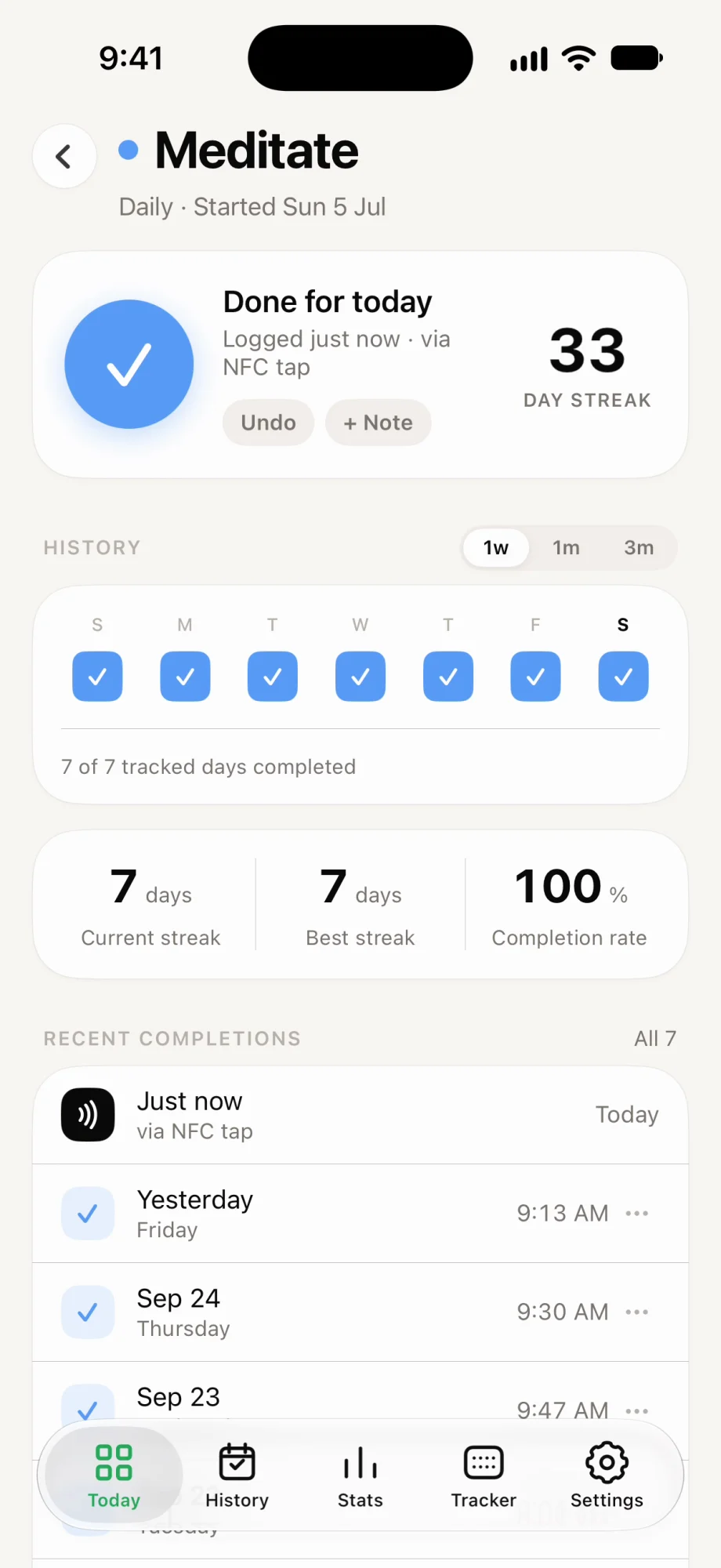
One tap marks it done for the day. Meditate, take your vitamins, make the bed.
Ritlum for iPhone
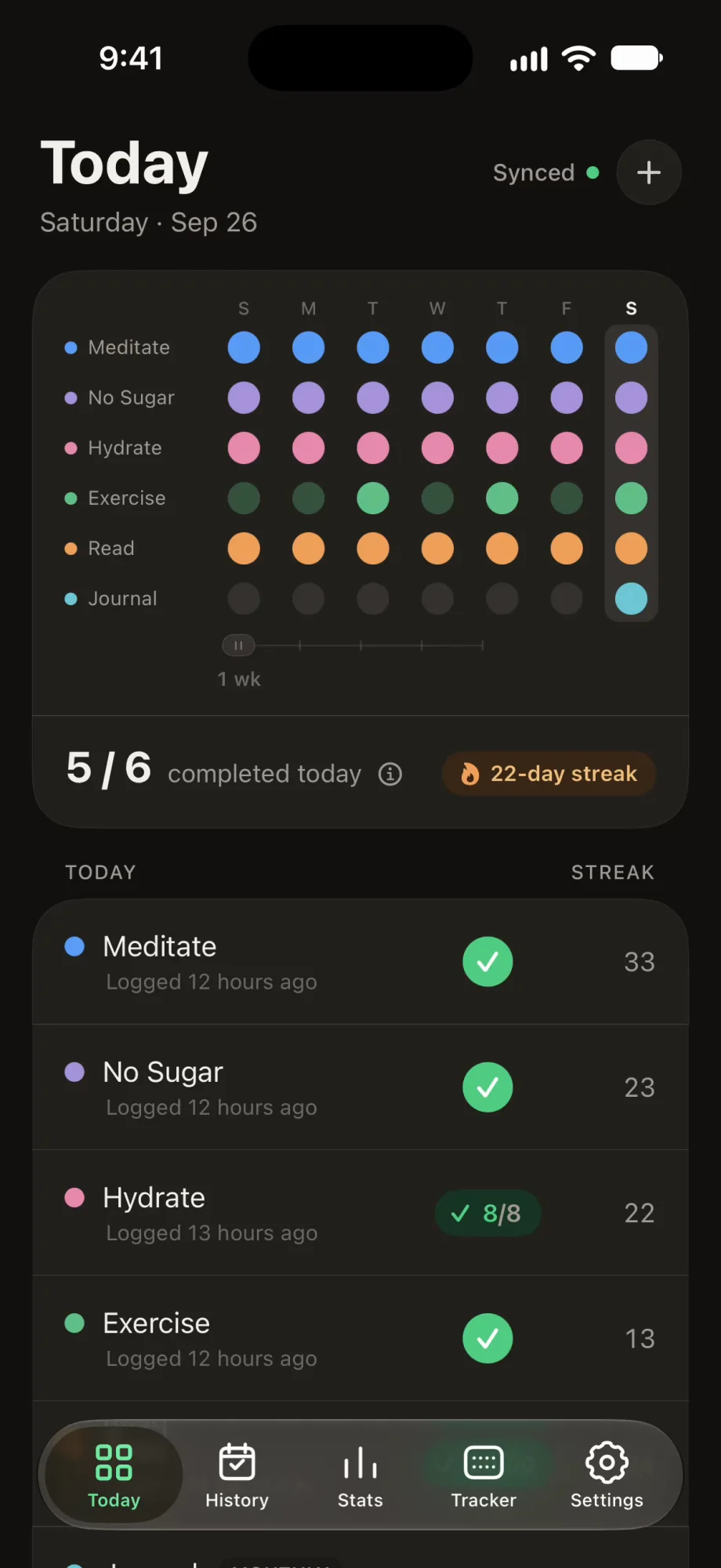
Ritlum is a habit tracker app for iPhone. Check off a goal, count your progress or run a timer, and watch your week fill in.

The Today screen
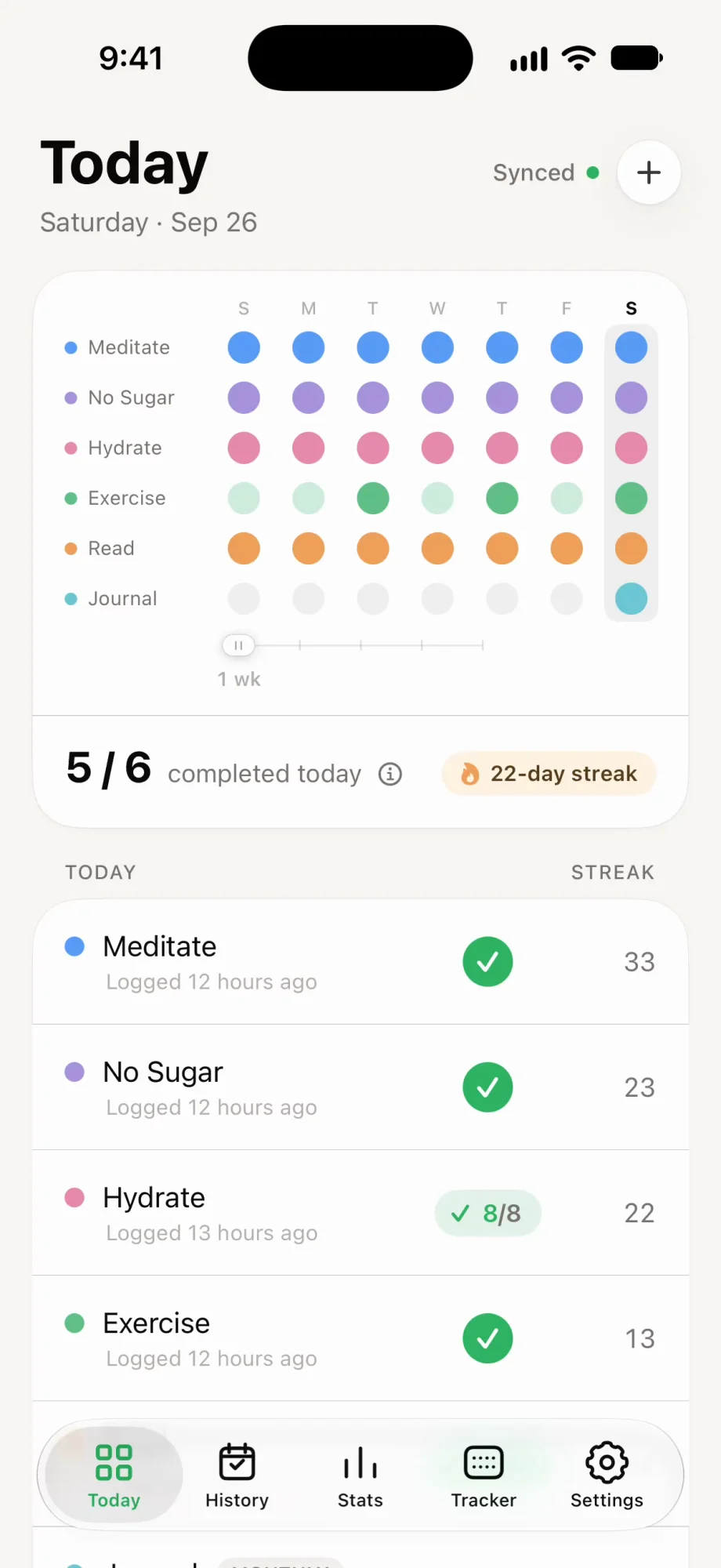
Open the app and the grid is the first thing you see. Each habit has a row in its own colour and each day has a column, so a missed day is easy to spot.
Three kinds of goals
Some habits are done or not done. Others have a number or a duration. Ritlum tracks all three, on a daily, weekly or monthly schedule.
One tap marks it done for the day. Meditate, take your vitamins, make the bed.
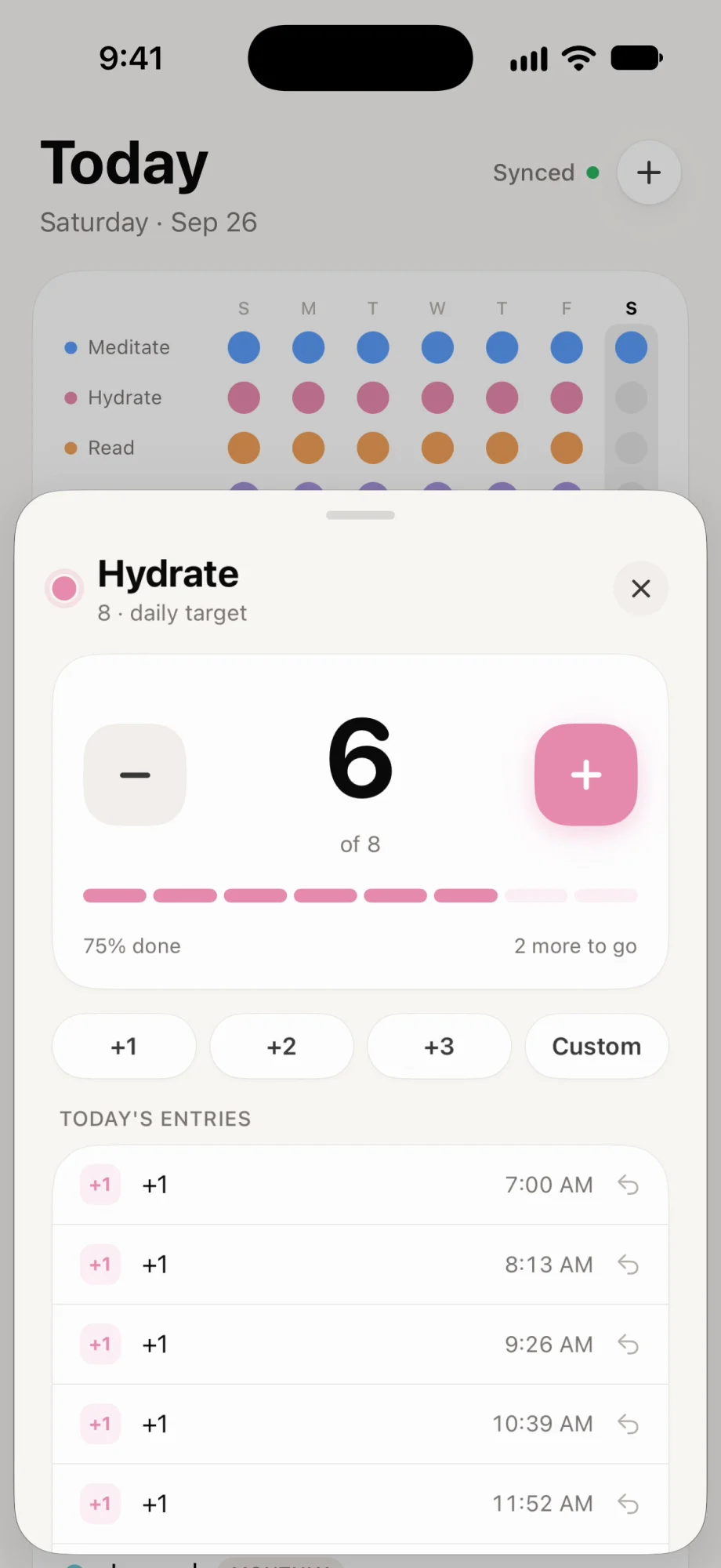
Set a daily target and add to it as you go. Eight glasses of water, twenty pages, ten thousand steps.
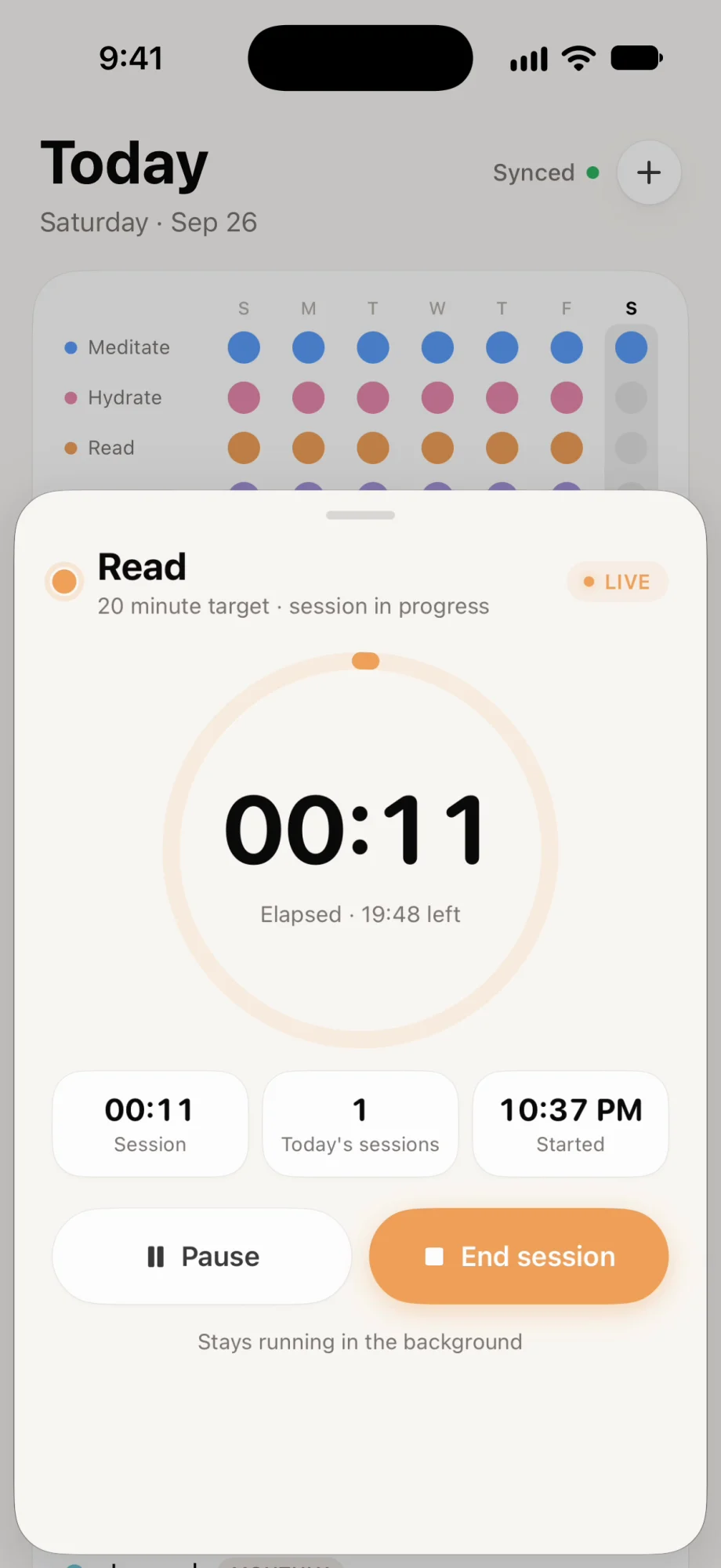
Start a session and let it run in the background. Twenty minutes of reading, an hour of practice.
NFC check-ins
Stick an NFC tag where the habit happens: the kettle, your running shoes, the book on your nightstand. Hold your iPhone to it and the habit is logged, without hunting for the app.
Optionally, connect a Ritlum mini to see your habits light up on your desk as you log them.
Stats and history
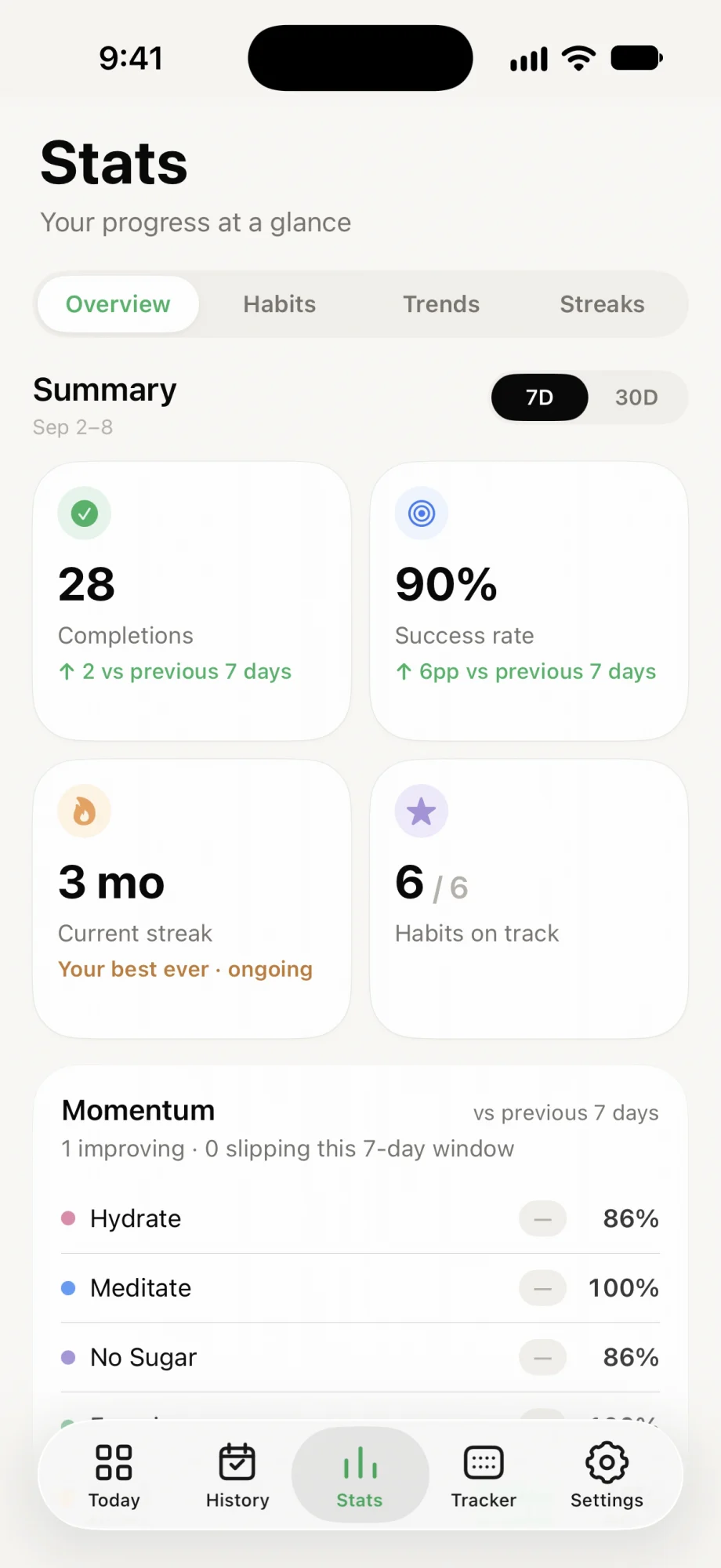
Streaks tell you about today. Stats tell you about the month: which habits are holding, which are slipping, and which days of the week go best.
Completions, success rate and your current streak, compared with the week before.
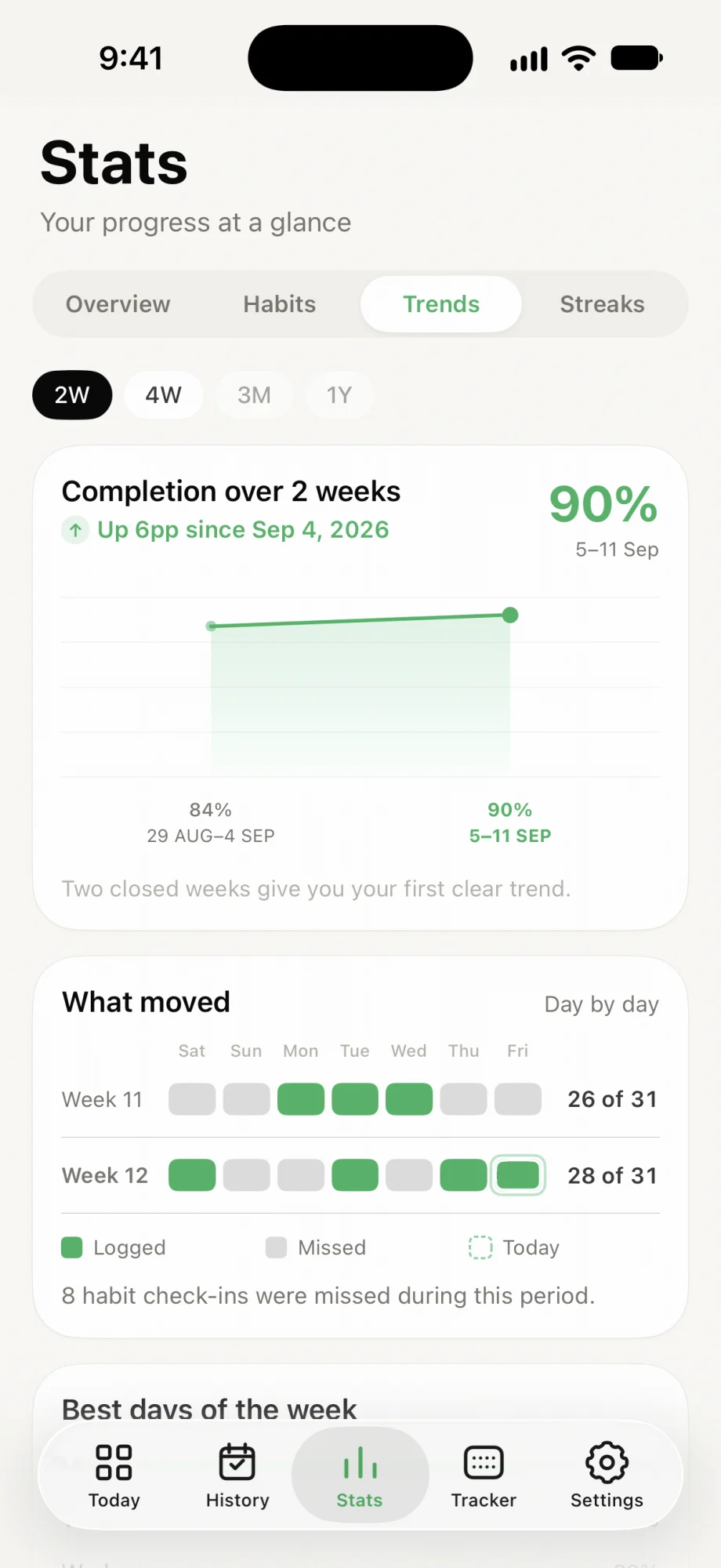
Your completion rate over time, week by week, with the days you missed.
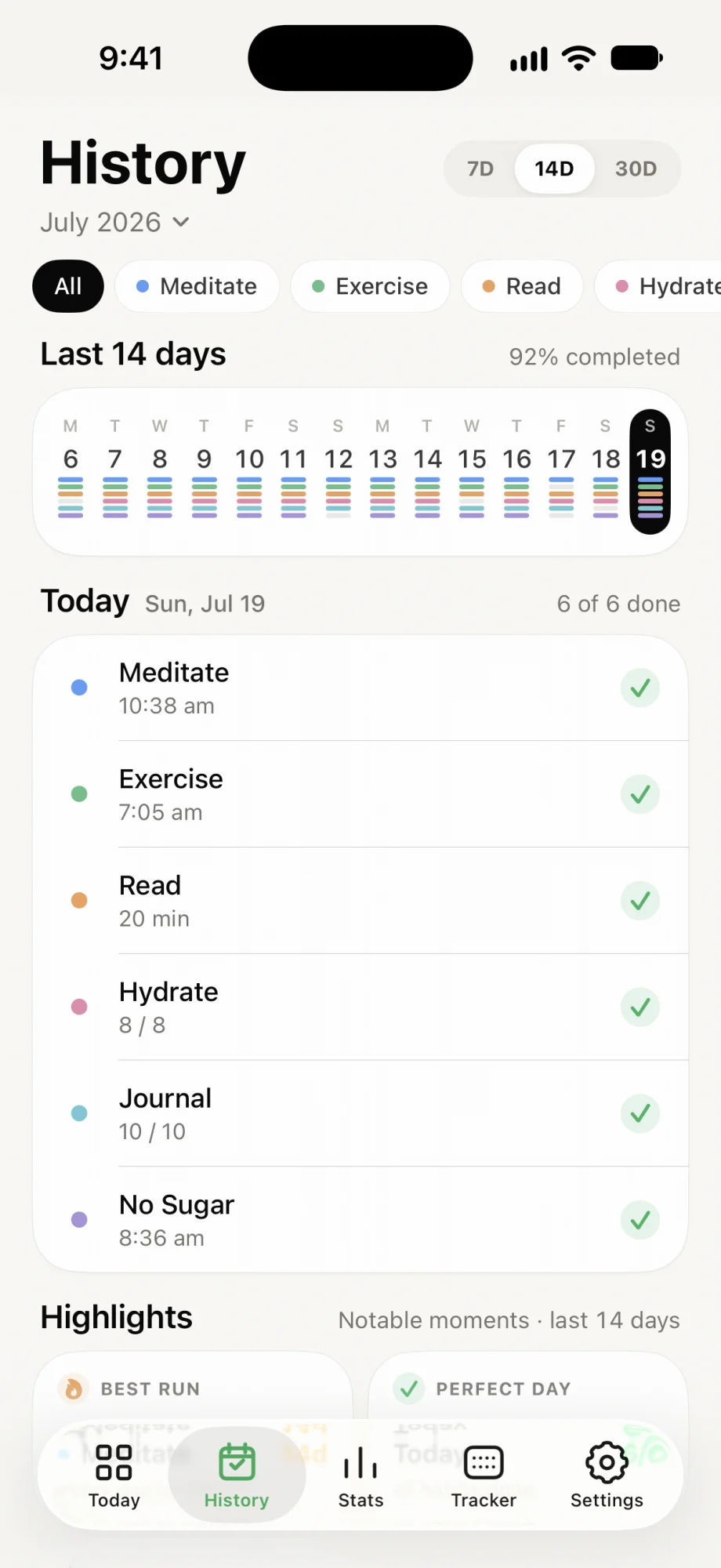
Every day you’ve tracked, with what you logged and when.
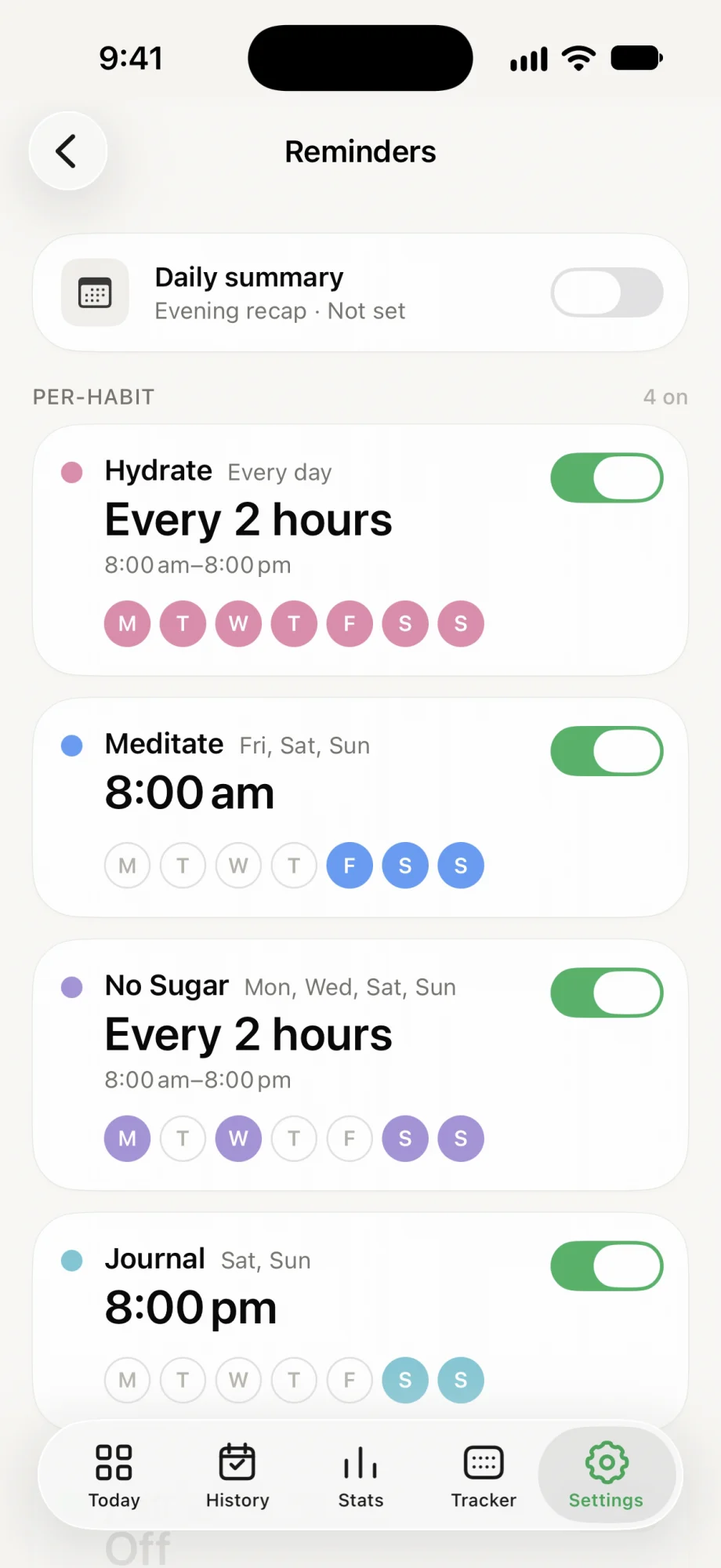
Widgets and reminders
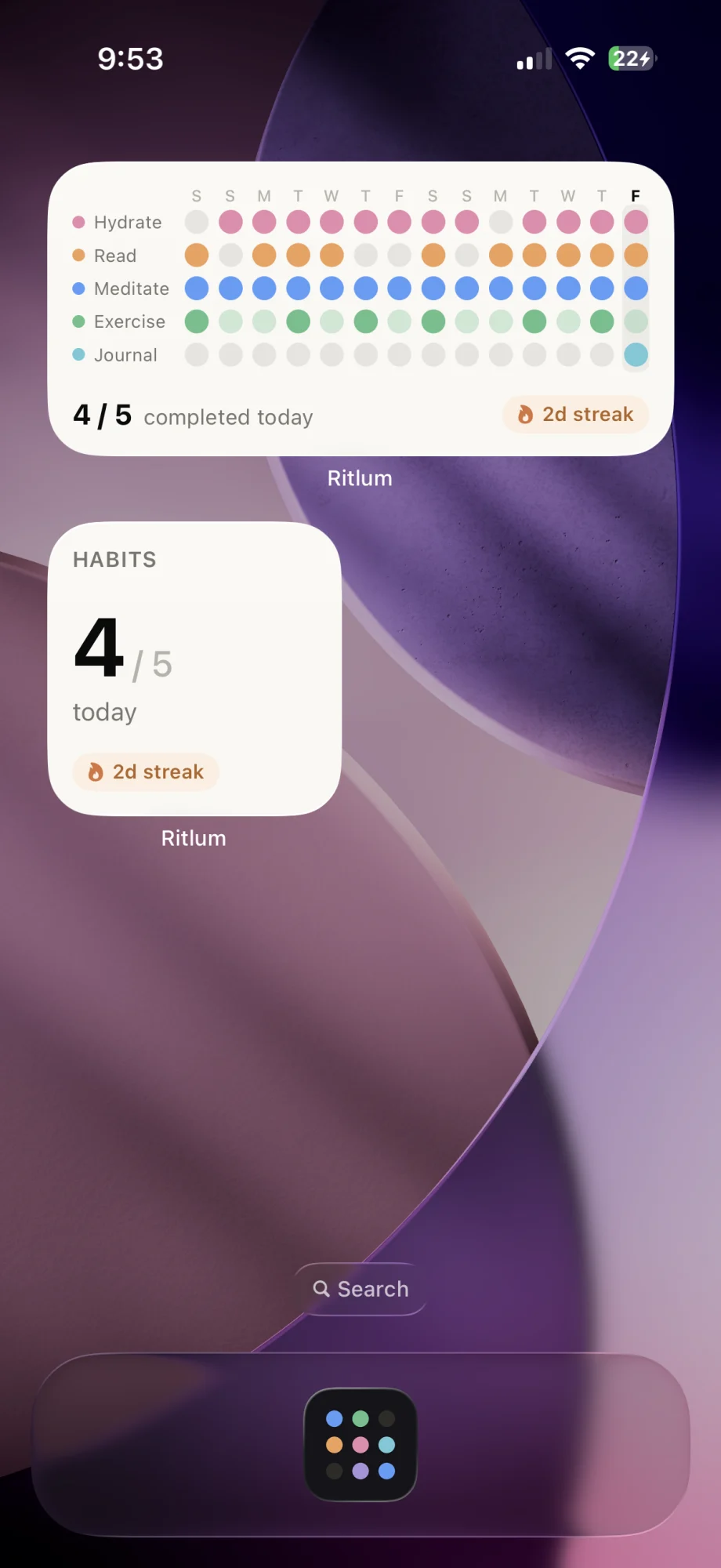
A habit you can see is easier to keep. Put your grid on the Home Screen, and set reminders that match how each habit actually goes.
Yours by default
Install it and start tracking. Ritlum doesn’t ask you to sign up, and your habits stay on your iPhone unless you decide otherwise.
Open the app and add your first habit. There is nothing to register.
Logging, streaks and stats all work without a connection.
Turn on cloud sync with Sign in with Apple to back up your habits and keep your devices in step.
Your habit data stays on your iPhone until you turn sync on.
The Tracker tab
If you have a Ritlum tracker on your desk, the app is where you configure it. Pair it once over Bluetooth, then decide what it shows and when.
Choose up to eight habits and drag them into the order you want, or mirror your Home screen. A live preview shows the tracker as it looks right now.
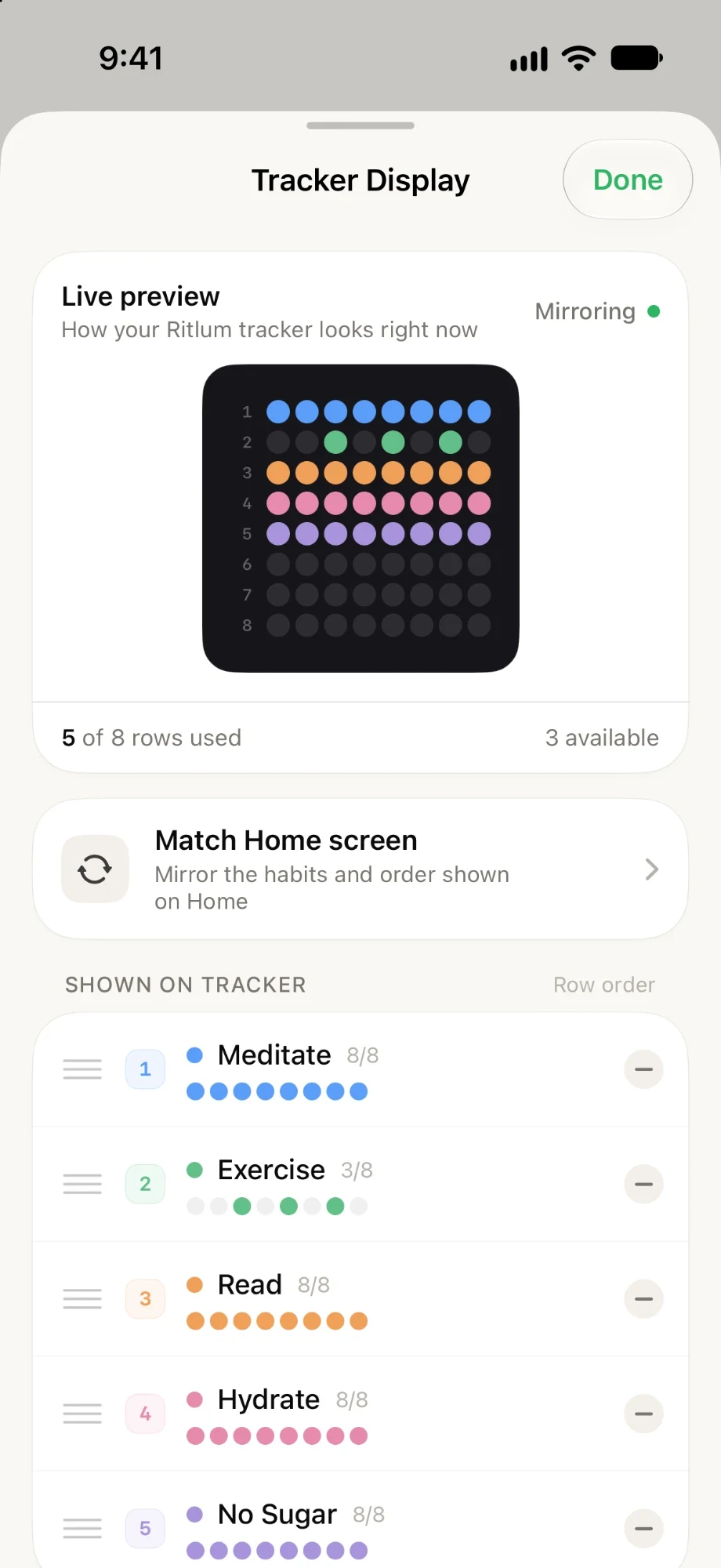
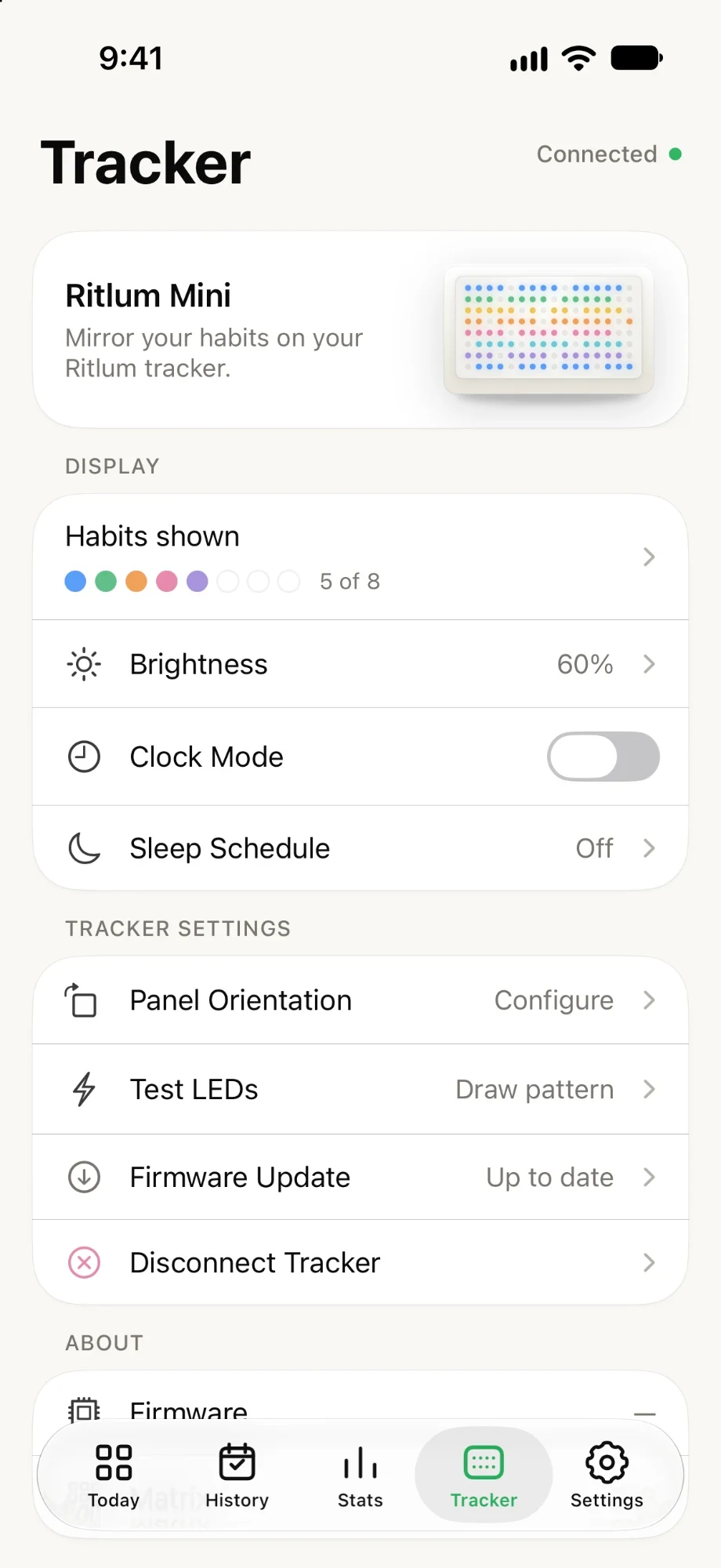
Turn the lights up or down, or switch to clock mode. Firmware updates install from here too, over Bluetooth.
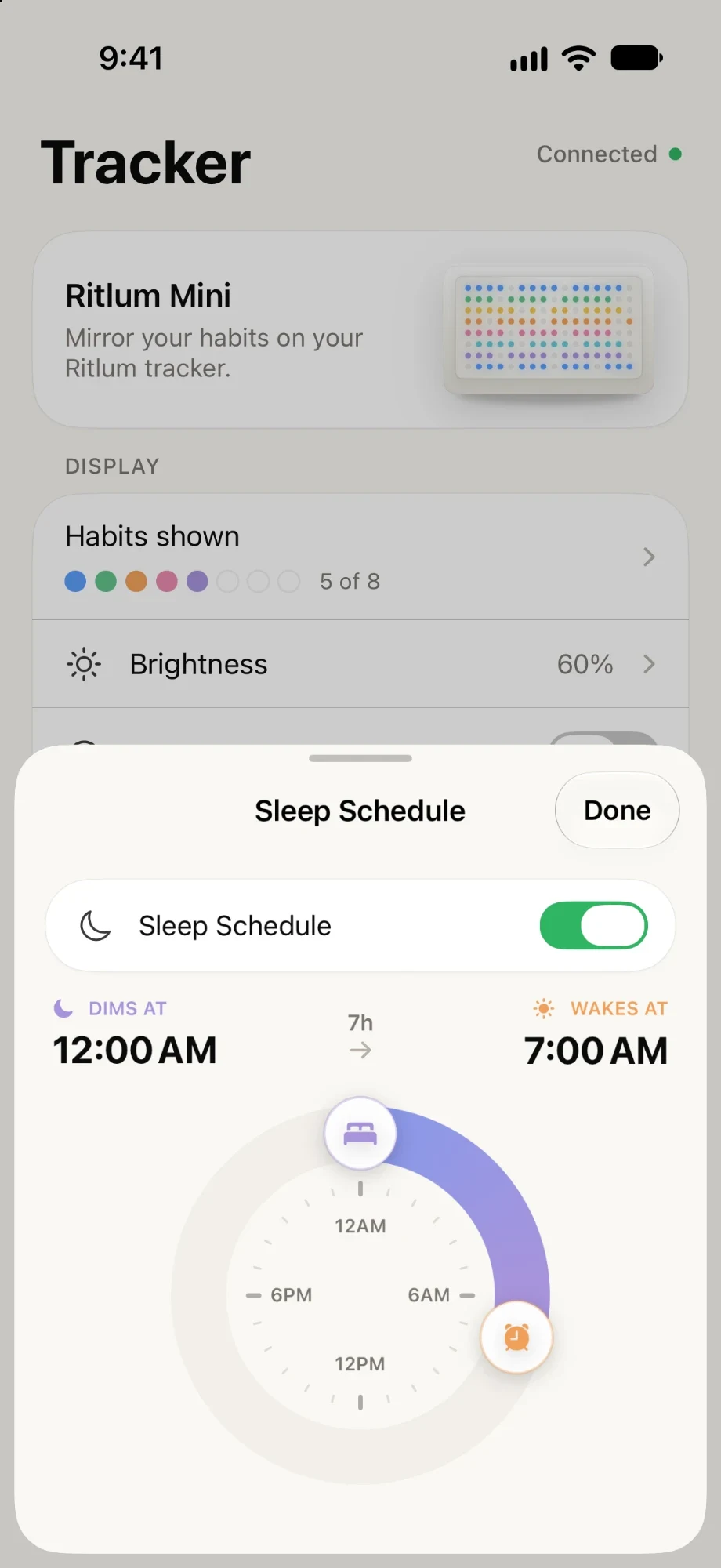
Set when the tracker dims at night and when it wakes. It keeps to the schedule even when your phone is elsewhere.
Ritlum mini · Coming soon
Ritlum mini is a small display that shows your last eight days of habits in light. It connects to the app over Bluetooth and works with the free version.
Meet Ritlum mini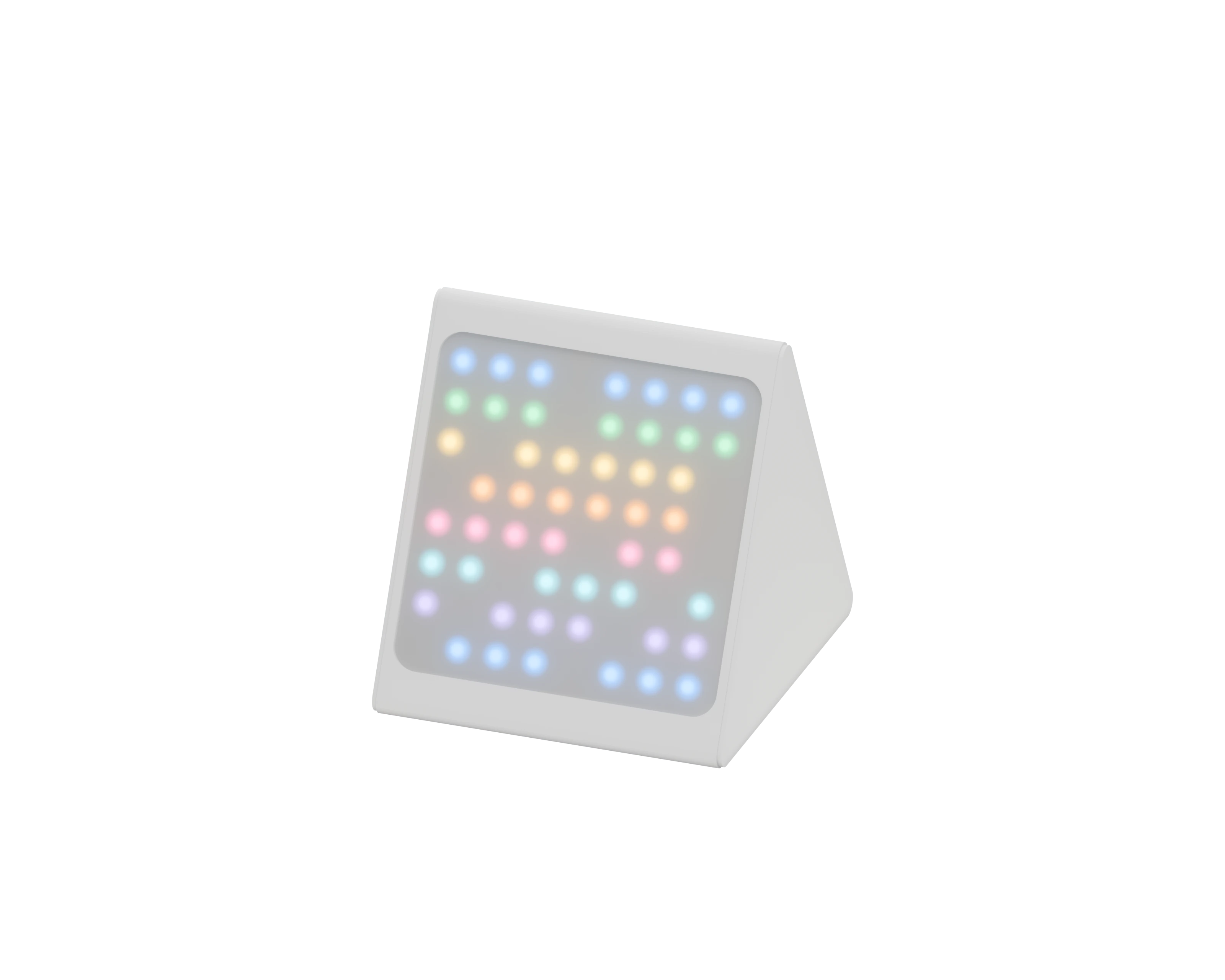
Free and Pro
The free version is a complete habit tracker for three habits. Ritlum Pro removes the limits.
Questions
Yes. The free version includes three habits and one NFC tag. Ritlum Pro adds unlimited habits, full stats and trends and unlimited NFC tags, as a monthly or yearly subscription or a one-time purchase.
No. Ritlum works without signing up, and your habits stay on your iPhone. If you want a backup or sync between devices, you can turn on cloud sync with Sign in with Apple.
Habits can repeat daily, weekly or monthly. Each one is a check-off, a count with a target, or a timer.
Link an NFC tag to a habit in the app and stick it where the habit happens. Hold your iPhone to the tag, tap the notification that appears, and the habit is logged for today.
Yes. One widget shows your habit grid and another shows how many habits you’ve completed today.
No. The app is a complete habit tracker by itself. Ritlum mini is an optional desk display that shows the same grid in light.
Not yet. Ritlum is only available for iPhone, on iOS 17 or later.
Free on the App Store. No account needed.