How to Use NFC Tags for Habits on iPhone
October 25, 2026
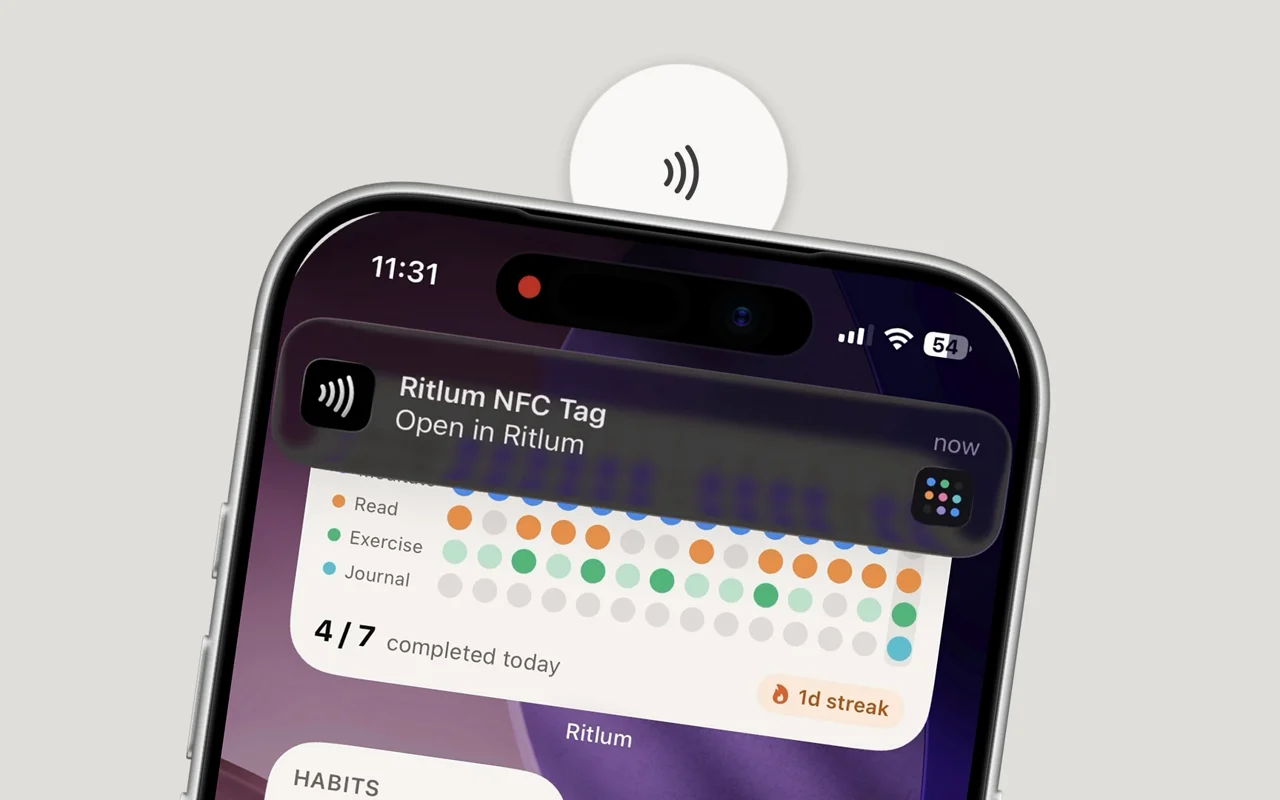
An NFC tag is a sticker with a tiny chip and antenna inside. You stick it somewhere, link it to a habit, and from then on you log that habit by holding your iPhone to the sticker. No unlocking, finding the app and scrolling to the right row.
It sounds like a gimmick, but it fixes the most common reason habit tracking falls apart: you did the habit and forgot to write it down. This guide covers which tags to buy, where to put them and how to set them up on an iPhone.
Why tags help habits stick
Most habit apps fail on the boring part. Logging takes ten seconds, but they come right after the habit, when you’ve already moved on. Miss a few logs and the streak breaks, even though you never missed the habit itself.
A tag fixes that in two ways:
- It’s where the habit happens. A tag on your running shoes is there when you get back from the run. You don’t have to remember to log, because the sticker reminds you.
- It’s one motion. Hold the phone to the tag, tap the notification, done. It’s quick enough that you’ll actually do it every time.
The tag also works as a small cue in its own right. A sticker on the kettle that you see every morning is a gentle reminder before you’ve done anything.
What you need
- An iPhone XS or later. These models read tags in the background, with no app open. You just hold the top edge of the phone near the tag.
- NFC stickers. Look for NTAG213, NTAG215 or NTAG216. NTAG213 is the cheapest and has more than enough room. A pack of ten usually costs less than a coffee.
- On-metal tags for metal surfaces. A normal tag won’t read when it’s stuck straight onto metal, like a fridge door or a dumbbell. On-metal (sometimes called anti-metal) tags have a shielding layer that fixes this.
- An app that can link tags to habits. Ritlum does this built in. You can also build it yourself with Shortcuts, which is covered further down.
Where to stick them
Put each tag where you finish the habit, not where you start it. You want to log when you’re done.
| Habit | Where the tag goes |
|---|---|
| Drink water | Your water bottle or the tap you fill it from |
| Read | Inside the back cover of your current book, or on your bedside lamp |
| Meditate | Under your cushion or on the edge of your mat |
| Work out | Your gym bag, a kettlebell (on-metal tag) or the door frame by your mat |
| Take vitamins | The lid of the bottle |
| Walk the dog | The lead hook by the door |
| Floss | The side of the bathroom mirror |
| Journal | The cover of the notebook |
Two practical tips. First, find where your phone reads before you stick anything down. On an iPhone it’s the top edge, near the camera. Second, test the spot with your case on. Thick cases and wallet cases with cards can block a tag.
Setting up a tag in Ritlum
- Open the habit in Ritlum and choose Write NFC Tag.
- Hold the top of your iPhone to a blank sticker until it confirms. Ritlum writes a short link that belongs to that habit.
- Stick the tag down where the habit happens.
That’s it. To log the habit, hold your phone to the tag. A notification appears. Tap it, and Ritlum opens with the habit already logged for today, streak updated.
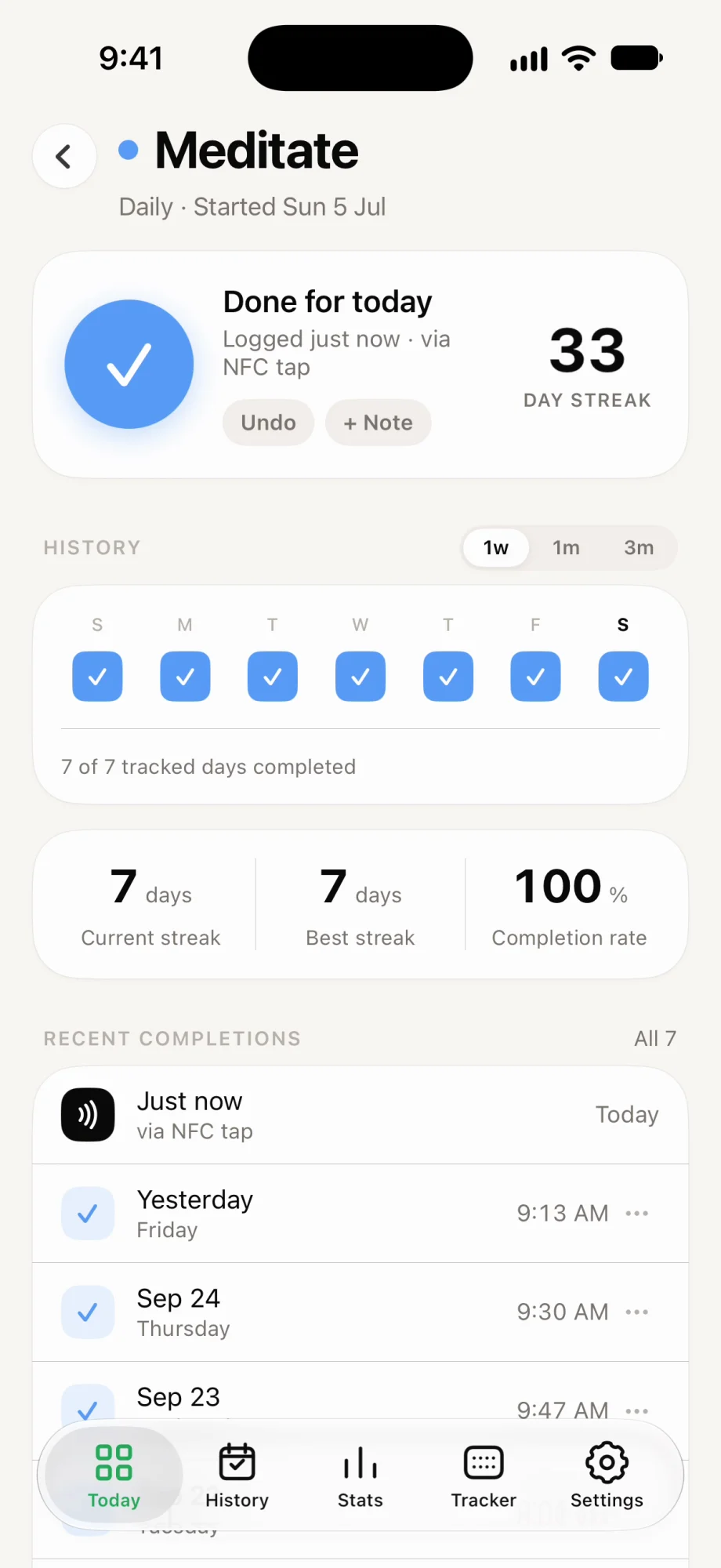
A few details that come up once you’ve lived with tags for a while:
- Count habits go up by one. If the habit is “drink 8 glasses,” each tap adds a glass, so a tag on the water bottle fits nicely.
- Tags are optional. You can still log from the app or the Home Screen widget on days you’re away from the tag. Everything goes into the same history.
- Tags can be rewritten. If you change habits, write the same sticker again from the new one. Ritlum asks before it moves the tag across.
- Other people can’t log for you. If someone without the app taps your tag, they just see a page explaining what it is.
The free version of Ritlum includes one NFC tag. Ritlum Pro removes the limit.
The Shortcuts alternative
If you’d rather build it yourself, Apple’s Shortcuts app can run an automation when you tap a tag: open Shortcuts, go to Automation, create a new personal automation, pick NFC and scan the tag. The shortcut can then add a line to a note, a row to a spreadsheet or an entry in a Notion database.
This works, and it’s flexible. The trade-off is that you’re building the habit tracker as well. Streaks, a history you can read at a glance, weekly or monthly habits and reminders are all left for you to put together. A dedicated app gives you those from the first tap.
When a tap doesn’t work
- The screen is off. Background reading only works while the screen is on. Raise to wake is enough.
- The phone hasn’t been unlocked since it restarted. Unlock it once and tags work again.
- The camera or Apple Pay is open. iPhone pauses tag reading while either is in use.
- The tag is on metal. Swap it for an on-metal tag, or add a thin spacer like a piece of cardboard.
- The case is too thick. Try once without the case to check. If that works, move the tag somewhere you can tap more directly.
- You’re holding the wrong end. It’s the top edge of the iPhone, not the back or the bottom.
Start with one habit
Don’t tag your whole house on day one. Pick the habit you most often do and forget to log, put a tag where it ends, and use it for a week. When tapping becomes automatic, add the next one.
The Ritlum app is free on iPhone, and there’s more about what it does here. If you want your streaks on your desk as well as your phone, have a look at Ritlum mini.
FAQ
Which iPhones can read NFC tags?
iPhone XS, XR and every model since can read a tag just by holding the phone to it, with no app open. Ritlum needs iOS 17, and every iPhone that runs iOS 17 can do this.
Do NFC tags need batteries or charging?
No. A tag has no battery. It gets the little power it needs from your phone during the tap, so it keeps working for years.
What kind of NFC tags should I buy?
Any NTAG213, NTAG215 or NTAG216 sticker works. NTAG213 is the cheapest and has plenty of room for a Ritlum link. If the tag goes on metal, buy on-metal (anti-metal) tags.
Can I log a habit without unlocking my phone?
The screen has to be on, and the iPhone must have been unlocked at least once since it started. Tapping the notification then opens Ritlum, which asks you to unlock if needed.
Can I move a tag to a different habit?
Yes, as long as you haven't locked the tag. Write it again from the new habit in Ritlum and the app asks you to confirm the change.
What happens if someone without Ritlum taps my tag?
Their phone opens a page on ritlum.com that explains the tag and links to the App Store. It can't log anything to your habits.
Can I use NFC tags for habits with Shortcuts instead?
Yes. A Shortcuts personal automation can run when you tap a tag, but you have to build the habit log yourself, for example in Notes, Numbers or Notion. A habit app with NFC support gives you streaks and history without that setup.